Course overview · Try two complete lessons free
Agentic AI Automation Academy
A beginner-friendly path for choosing, building, pricing, and selling one practical AI service. Finish the 24-step recommended inquiry-assistant path. Explore optional tracks only when useful: OpenClaw practice lab, client app, YouTube system, browser extension, Shopify app, or no-code workflow.
Choose a service and sketch a demo.
Two complete lessons with plain-English steps and copyable prompts. Use fictional data; no live client connection is needed.
See both free lessonsContinue from building to delivery.
$49.99 one-time access. The paid path adds service scope, testing, pricing, outreach, handoff and a final project. AI tools may cost extra.
Check full access and termsKeep useful work, not just lesson notes.
Prepare an offer sentence, a fictional-data demo, test notes and a bounded pilot plan. These are learning artifacts, not guaranteed clients or income.
Inspect every module belowFinish the core money path
Follow the 24 core lessons from choosing a service through finding clients and delivery.
Explore another build when useful
There are 6 optional paths and three extra assistant exercises. You can finish your first offer without them.
Let one agent do the heavy work
Paste the lesson prompt, inspect the result, save the proof, and package one clear offer.
Learning path
Modules, useful results, and lesson access
Module 1
Free Preview
Use two complete lessons to map a buyer workflow and sketch a safe demo before deciding whether to enroll.
Module 1
Free Preview
Use two complete lessons to map a buyer workflow and sketch a safe demo before deciding whether to enroll.
You will choose one beginner-friendly AI service and leave with one clear offer sentence plus a five-example demo plan.
Your fictional inquiry, complete demo output, test notes, safety boundary, and one-sentence business explanation.
Without rereading, write the main decision, artifact, or boundary you can now explain from Free Preview.
Choose Your First AI Service To SellBy the end, you should be able to answer five questions: Who will I help? What repeated task annoys them? What will the AI prepare? What will a person approve? What exactly can I offer?freeBuild Your First Sellable DemoBuild a demo preview that shows the business value without connecting real accounts, exposing customer data, or promising automatic results.free
Module 2
Start Here
Choose a first-offer goal, learn the course rhythm, and start the artifact trail that becomes your final project.
Module 2
Start Here
Choose a first-offer goal, learn the course rhythm, and start the artifact trail that becomes your final project.
You will understand the course path, the workbook, and the final project before you start.
Your rough Final Project Snapshot.
Without rereading, write the main decision, artifact, or boundary you can now explain from Start Here.
Module 3
Agentic AI Service Foundations
Understand what a buyer is paying for, how the tool stack supports the work, and where safety and client-trust boundaries begin.
Module 3
Agentic AI Service Foundations
Understand what a buyer is paying for, how the tool stack supports the work, and where safety and client-trust boundaries begin.
You will describe your agentic AI automation service in business language.
Your safety boundary and client trust sentence.
Without rereading, write the main decision, artifact, or boundary you can now explain from Agentic AI Service Foundations.
What You Are Really SellingTurn 'I build AI agents' into a specific workflow outcome.LockedChoose Your AI Agent And Optional OpenClaw LabPick one agent, use one repeatable workflow, and avoid learning several tools at the same time.LockedSafety, Privacy, And Client TrustKnow what the assistant is allowed to do and what it must never do.Locked
Module 4
Optional: OpenClaw Practice Lab
Use this optional lab only when you want a visible local workflow. Let one chosen AI agent handle setup and troubleshooting while you verify a fake-data demo and its human approval boundary.
Module 4
Optional: OpenClaw Practice Lab
Use this optional lab only when you want a visible local workflow. Let one chosen AI agent handle setup and troubleshooting while you verify a fake-data demo and its human approval boundary.
You will explain OpenClaw in beginner language and understand the setup path.
A short checkpoint note naming the completed proof, any blocker, and the artifact you will carry into the final project.
Without rereading, write the main decision, artifact, or boundary you can now explain from Optional: OpenClaw Practice Lab.
OpenClaw Lab: What It Is And How It WorksReplace mystery with a simple mental model.LockedPrerequisites And AccountsKnow what you need before copying install commands.LockedInstall The OpenClaw Lab Step By StepMake the `openclaw` command work in your terminal.LockedRun OnboardingConnect one model provider and create a local Gateway setup.LockedVerify The GatewayKnow whether the engine of the system is on.LockedOpen The Dashboard And Send First MessageProve that the setup can respond before building the lead demo.LockedSetup Rescue: Top 10 Beginner Setup ErrorsKnow what to do when install, onboarding, Gateway, dashboard, or auth does not work.LockedBuild The First Local Agentic AI DemoTurn a fake lead inquiry into a structured response an owner can approve.LockedConnect One Beginner Lab ChannelUnderstand that channels are optional for the first client-ready offer.LockedTesting And TroubleshootingFind weak spots before a client finds them.LockedFrom Demo To Client-Safe Agentic SystemSeparate a practice demo from a deliverable service.LockedCheckpoint: OpenClaw Lab And First SystemPause, inspect your result, document blockers honestly, and make sure the next stage starts from evidence instead of vague progress.Locked
Module 5
Choose A Sellable AI Service
Compare beginner-friendly offers, choose a reachable niche, and identify one repeated workflow worth improving.
Module 5
Choose A Sellable AI Service
Compare beginner-friendly offers, choose a reachable niche, and identify one repeated workflow worth improving.
You will choose a realistic beginner offer.
A one-page before-and-after workflow map with the trigger, current friction, safer AI-assisted output, human approval owner, exclusions, and one buyer question to validate.
Without rereading, write the main decision, artifact, or boundary you can now explain from Choose A Sellable AI Service.
Module 6
Build Your First Agentic AI Systems
Build and check the main cleaning-company inquiry assistant. Inbox, FAQ and reporting assistants remain optional extra practice.
Module 6
Build Your First Agentic AI Systems
Build and check the main cleaning-company inquiry assistant. Inbox, FAQ and reporting assistants remain optional extra practice.
You will adapt the lead follow-up demo to your niche.
A short checkpoint note naming the completed proof, any blocker, and the artifact you will carry into the final project.
Without rereading, write the main decision, artifact, or boundary you can now explain from Build Your First Agentic AI Systems.
System 1 - Agentic Lead Follow-Up AssistantCreate the main system for your final project.LockedSystem 2 - Agentic Inbox Triage AssistantExtra practice · optional for your first projectShow a second useful workflow without connecting a real inbox.LockedSystem 3 - Agentic FAQ Support AssistantExtra practice · optional for your first projectPractice support drafting without hallucinated policies.LockedSystem 4 - Agentic Weekly Report AssistantExtra practice · optional for your first projectShow a useful internal reporting workflow.LockedCheckpoint: Demo PortfolioPause, inspect your result, document blockers honestly, and make sure the next stage starts from evidence instead of vague progress.Locked
Module 7
Package And Price The Service
Define deliverables and exclusions, practice a starter price, write a simple proposal, and pass the package checkpoint.
Module 7
Package And Price The Service
Define deliverables and exclusions, practice a starter price, write a simple proposal, and pass the package checkpoint.
You will package your demo as a bounded beginner service.
A short checkpoint note naming the completed proof, any blocker, and the artifact you will carry into the final project.
Without rereading, write the main decision, artifact, or boundary you can now explain from Package And Price The Service.
Turn A Demo Into A Service PackageMake the offer clear enough to sell responsibly.LockedPricing Your First ProjectsPrice the work without pretending you are an expert agency.LockedCreate A Simple ProposalMake the next step clear without overselling.LockedCheckpoint: Package, Price, ProposalPause, inspect your result, document blockers honestly, and make sure the next stage starts from evidence instead of vague progress.Locked
Module 8
Sell The Agentic AI Offer
Build a focused prospect list, write honest outreach, run discovery, and handle objections without risky promises.
Module 8
Sell The Agentic AI Offer
Build a focused prospect list, write honest outreach, run discovery, and handle objections without risky promises.
You will build the first outreach list.
Objection response sheet.
Without rereading, write the main decision, artifact, or boundary you can now explain from Sell The Agentic AI Offer.
Find Your First 25 Prospects, Then Build Toward 100Find enough real prospects to test demand safely.LockedOutreach ScriptsAsk for interest without sounding like hype.LockedDiscovery CallsLearn the workflow before selling the build.LockedHandling ObjectionsSell responsibly and know when to walk away.Locked
Module 9
Delivery, Handoff, And Next Offers
Onboard, test, hand off, support, identify a sensible next offer, and assemble the final buyer-readable project.
Module 9
Delivery, Handoff, And Next Offers
Onboard, test, hand off, support, identify a sensible next offer, and assemble the final buyer-readable project.
You will create a safe client onboarding packet that confirms scope, owners, access boundaries, sample data, approvals, timeline, and support expectations before work begins.
Final project packet.
Without rereading, write the main decision, artifact, or boundary you can now explain from Delivery, Handoff, And Next Offers.
Client OnboardingCollect the right information without grabbing unnecessary access.LockedTesting And HandoffFinish professionally instead of just saying 'it works.'LockedRetainers And Next OffersAvoid selling recurring fees before value exists.LockedCheckpoint: Delivery ReadyPause, inspect your result, document blockers honestly, and make sure the next stage starts from evidence instead of vague progress.LockedFinal Project: Your First Agentic AI Automation OfferProve you can explain, build or simulate, package, and safely sell one beginner agentic AI automation service.Locked
Module 10
Optional: Client Apps, Hosting, And Domains
A single optional path from a small fake-data client app to protected access, test payment, launch QA, and handoff. Students choose the buyer result while one AI agent handles implementation and stops for owner-only external decisions.
Module 10
Optional: Client Apps, Hosting, And Domains
A single optional path from a small fake-data client app to protected access, test payment, launch QA, and handoff. Students choose the buyer result while one AI agent handles implementation and stops for owner-only external decisions.
You will use your chosen AI agent to turn one buyer problem into a small app you could demonstrate and sell as a fixed-scope pilot.
Save the release report, mobile proof, access matrix, rollback note, support boundary, and fixed-scope app offer.
Without rereading, write the main decision, artifact, or boundary you can now explain from Optional: Client Apps, Hosting, And Domains.
Plan A Small Client App With Your AI AgentDescribe the buyer and result; let your chosen AI agent plan the screens, data, access, testing, hosting, and handoff.LockedLet Your Agent Set Up Safe App DataTell the agent who should see what. You do not need to write SQL or memorize Row Level Security rules.LockedLet Your Agent Build The Client App ScreenChoose what the buyer should see and do. Let the agent handle Next.js, forms, validation, and protected data access.LockedLet Your Agent Publish A Vercel Test LinkGet a safe review link without learning deployment commands or treating the preview as a finished launch.LockedConnect The Domain Later And Hand Off The AppUnderstand what you must approve while the agent handles DNS details, checks, documentation, and rollback notes.LockedAdd Payments, Email, Admin, And Private Files With Your AI AgentWork toward one narrow paid-access path. Allow a first 45-60 minute session when the app and test accounts are ready; setup, debugging and verification may need additional sessions. You choose the product and access rule; the agent handles the code, migrations, routes, tests, and documentation.LockedRun Full App Launch QA And Package The ServiceTurn technical checks into a simple go, hold, or owner-needed decision without pretending that an untested external service is ready.Locked
Module 11
Optional: Faceless YouTube Service Workflow
An optional money path for using one chosen AI agent to research original topics, create reviewed production packets, organize a client dashboard, and sell a bounded service without promising views or monetization.
Module 11
Optional: Faceless YouTube Service Workflow
An optional money path for using one chosen AI agent to research original topics, create reviewed production packets, organize a client dashboard, and sell a bounded service without promising views or monetization.
You will define a safe faceless YouTube automation lane that avoids reused-content, inauthentic-content, spam, misleading synthetic media, and no-review publishing traps.
Save the YouTube automation service package as an optional portfolio example beside your core agentic AI automation offer.
Without rereading, write the main decision, artifact, or boundary you can now explain from Optional: Faceless YouTube Service Workflow.
Faceless YouTube Automation Rules And Risk BoundariesBefore building anything, set the rules for what your system will not copy, fake, exaggerate, automate, or publish without human approval.LockedResearch A Video Topic And Build An Original Angle With Your AI AgentBuild a topic system that helps you find useful video ideas without copying competitor videos or chasing empty trend spam.LockedBuild The Faceless Production Workflow With Your AI AgentMake your chosen AI agent the operating system for the work: it organizes files, drafts scripts, reviews checklists, catches missing proof, and helps you build tracker or dashboard code when the workflow needs an app.LockedPackage A YouTube Automation Service With A Client DashboardTurn the workflow into something a buyer can understand: what you create, what they approve, what is not included, and how success is reviewed without income guarantees.Locked
Module 12
Optional: Browser Extension Build
Choose one repeated browser task, let your AI agent build and test a Manifest V3 extension, then prepare a truthful store and service package. You do not need this track to finish the core course.
Module 12
Optional: Browser Extension Build
Choose one repeated browser task, let your AI agent build and test a Manifest V3 extension, then prepare a truthful store and service package. You do not need this track to finish the core course.
You will turn one repeated browser annoyance into a one-purpose extension brief and a small offer you can validate before building.
Save the ZIP checksum, listing draft, screenshots checklist, privacy answers, support FAQ, release note, and chosen money path.
Without rereading, write the main decision, artifact, or boundary you can now explain from Optional: Browser Extension Build.
Choose A Small Browser Extension People Will UseChoose one page, one user action, and one saved result. Let the agent research feasibility and reject permissions or features that are not necessary.LockedBuild And Load A Manifest V3 Extension With Your AI AgentFinish a local extension rather than studying extension architecture. The agent writes the files and tests; you approve browser access and judge the result.LockedMinimize Extension Permissions And Test Real Page StatesMake the extension trustworthy enough to show a buyer without asking the student to become a browser-security specialist.LockedPackage, Publish, And Sell A Browser ExtensionReach a review-ready draft in one focused session. Account registration, fees, identity checks, final claims, and Submit for Review remain owner actions.Locked
Module 13
Optional Advanced: Shopify App Build
An advanced optional path for validating one merchant problem, using Shopify's current official scaffold and development store, testing one workflow, and preparing billing, privacy, support, and review materials.
Module 13
Optional Advanced: Shopify App Build
An advanced optional path for validating one merchant problem, using Shopify's current official scaffold and development store, testing one workflow, and preparing billing, privacy, support, and review materials.
You will turn one merchant problem into a one-workflow Shopify app brief, validation script, and realistic first offer.
Save the pricing-flow proof, listing draft, privacy/data map, test instructions, support FAQ, rollback note, and owner hold list.
Without rereading, write the main decision, artifact, or boundary you can now explain from Optional Advanced: Shopify App Build.
Choose A Small Shopify App Merchants May Pay ForChoose a narrow merchant task before opening the developer tools. Shopify is an advanced optional path, not a requirement for finishing the academy.LockedScaffold And Install A Shopify Development App With Your AI AgentGet a safe development workspace running without hand-building OAuth or touching a live merchant store.LockedBuild And Test One Shopify Merchant WorkflowProduce one merchant-readable result. The agent handles API queries, UI, validation, webhook code, and tests; the student decides what the merchant may approve.LockedPrepare Shopify Pricing, Review, Privacy, And SupportReach a review-ready package without submitting, billing a real merchant, or claiming that App Store approval and sales are guaranteed.Locked
Module 14
Optional: No-Code Workflow Delivery
Choose one of n8n, Make, or Zapier for a real client workflow. Your AI agent maps, builds, tests, repairs, and documents it while you keep credentials, approvals, ownership, and client promises under human control.
Module 14
Optional: No-Code Workflow Delivery
Choose one of n8n, Make, or Zapier for a real client workflow. Your AI agent maps, builds, tests, repairs, and documents it while you keep credentials, approvals, ownership, and client promises under human control.
You will choose one sellable workflow and let your agent produce the exact n8n, Make, or Zapier build map without forcing you to learn all three platforms.
Save the operating guide, monitoring checklist, ownership matrix, service package, demo script, and signed-off acceptance checklist draft.
Without rereading, write the main decision, artifact, or boundary you can now explain from Optional: No-Code Workflow Delivery.
Choose And Map A No-Code Automation ServicePick one platform based on the client's tools, cost, ownership, and support needs, then stay with it for the whole workflow.LockedBuild, Test, And Repair A No-Code WorkflowWork toward one tested workflow. Allow a first 30-60 minute session when your accounts are ready; permissions, debugging and verification may take longer. You create secure account connections; the agent handles mappings, filters, test design, diagnosis, and documentation.LockedPackage, Hand Off, And Monitor A No-Code WorkflowMake the workflow usable after delivery and protect both sides from unlimited maintenance expectations.Locked
A useful reading order
Not sure where to begin? Follow these three steps.
- 1
Choose your first AI service
Match one reachable buyer with one repeated problem.
- 2
Compare seven beginner service ideas
Start with a draft or review queue, not irreversible actions.
- 3
Build and check with one AI agent
Use the same plan, build, review, test and handoff loop.
Prefer a full lesson? Open the first free lesson: choose your first AI service to sell.
Keep it simple
One lesson, one useful result, one next step.
The course contains a lot of support material, but the path stays simple: open the next lesson, follow the start panel, save one clear result, and keep moving.
Go to next lessonOptional guidanceBuyer path, tool guide, and starter offersOpen this after you choose a module or when you need help packaging the work.
Learning experience
Built like a guided apprenticeship, not a video dump.
The academy uses practice-first lesson design, visible progress, artifact checkpoints, and screenshot-backed agent workflows so beginners always know what to do, what to save, and what not to overpromise.
Start with small practice loops
The first lessons ask for short, concrete work: a service map, fake-data demo sketch, setup note, and first evidence artifact.
Every lesson produces proof
Students save a decision, checklist, test note, demo output, proposal section, or handoff artifact that feeds the final project.
The app always shows the next move
Dashboard progress, module proof points, lesson checkpoints, and completion states reduce uncertainty while the student works.
One method works across compatible agents
Use Codex, Claude Code, or another capable project agent to understand, plan, build, verify, document, and keep the human in control.
Visual proof beats tool hype
OpenClaw remains an optional lab for selected demos, supported by owner-created screenshots, safe captures, and official source notes.
Readable, repeatable lesson structure
Each lesson uses the same brief, mission, workbench, resource kit, reading, and completion flow so students can scan instead of hunt.
Confusion gets captured before completion
Lessons end with a final clarity check that asks students to explain the move, verify the proof, and route precise blockers to support.
Commercial course map
How the modules become a first paid offer.
The academy is organized as a project-based path: students choose a buyer pain, use one AI agent to build reviewable proof, use OpenClaw only as an optional lab, and turn the work into one small scoped offer.
Every module names the operational result a buyer can understand before tools are discussed.
The student's chosen AI agent plans, builds, checks, documents, and prepares the handoff.
Proof stays scoped, fake-data friendly, human-approved, and clear about what is not promised.
Free Preview
See the service category and test whether agentic AI automation is worth learning before paying.
- Chosen-agent move
- Use one chosen AI agent to map the service, challenge the scope, and define what the demo must prove.
- Proof to save
- Service map and first sellable demo sketch
- Money action
- Name one workflow a small business might pay to have inspected, cleaned up, or automated.
Start Here
Set the working rhythm: one lesson, one artifact, one buyer-readable proof point.
- Chosen-agent move
- Use one chosen AI agent to plan the lesson outcome, complete the work, and check the saved artifact for gaps.
- Proof to save
- Course-use plan and artifact habit
- Money action
- Choose the weekly cadence that gets a real offer artifact finished instead of collecting notes.
Agentic AI Service Foundations
Understand what buyers actually buy: clearer workflows, faster follow-up, safer handoff, and usable proof.
- Chosen-agent move
- Use one chosen AI agent to compare service angles and pressure-test the operational steps.
- Proof to save
- Buyer pain, trust boundary, and service map
- Money action
- Pick the smallest credible service result you can explain without income promises.
Optional: OpenClaw Practice Lab
Create a working agentic AI lab so future demos can be shown safely and repeatably.
- Chosen-agent move
- Use one chosen AI agent for setup planning, safe checks, troubleshooting notes, and setup proof.
- Proof to save
- Working lab, setup receipts, and first safe demo
- Money action
- Turn the setup into proof that you can configure, test, and explain a client-safe workflow.
Choose A Sellable AI Service
Select a niche, painful workflow, and service lane that can be sold as a small scoped pilot.
- Chosen-agent move
- Use one chosen AI agent to compare niches and inspect the workflow for missing data, permissions, and handoff steps.
- Proof to save
- Niche choice, painful workflow, and offer angle
- Money action
- Write the first buyer-safe offer sentence with a narrow result and clear exclusions.
Build Your First Agentic AI Systems
Create small demos for lead follow-up, inbox triage, FAQ support, reporting, and portfolio proof.
- Chosen-agent move
- Use one chosen AI agent to design each workflow and review outputs, edge cases, test notes, and reusable assets.
- Proof to save
- Demo portfolio with tests and captions
- Money action
- Pick the strongest demo and translate it into a paid pilot conversation.
Package And Price The Service
Turn the strongest demo into deliverables, scope, price logic, review boundaries, and a simple proposal.
- Chosen-agent move
- Use one chosen AI agent to shape the package and inspect proposal clarity, missing risks, and handoff steps.
- Proof to save
- Package, price notes, and simple proposal
- Money action
- Prepare the first scoped offer without promising revenue, savings, or fully autonomous decisions.
Sell The Agentic AI Offer
Start honest conversations with prospects using proof, discovery questions, and a low-pressure next step.
- Chosen-agent move
- Use one chosen AI agent to adapt outreach to buyer context and inspect scripts for hype, vagueness, and unsafe claims.
- Proof to save
- Prospect list, outreach script, discovery notes, and objection answers
- Money action
- Ask for one review call or paid pilot conversation, not a broad automation transformation.
Delivery, Handoff, And Next Offers
Onboard, test, hand off, and identify the next safe offer after the first project is delivered.
- Chosen-agent move
- Use one chosen AI agent to prepare handoff docs and inspect test coverage, risks, and acceptance notes.
- Proof to save
- Client onboarding, test notes, handoff, and final project
- Money action
- Use delivery proof to propose the next small improvement only after the first scope is reviewed.
Optional: Client Apps, Hosting, And Domains
A single optional path from a small fake-data client app to protected access, test payment, launch QA, and handoff. Students choose the buyer result while one AI agent handles implementation and stops for owner-only external decisions.
- Chosen-agent move
- Use one chosen AI agent for planning, execution, inspection, testing, and reusable assets before saving proof.
- Proof to save
- Saved module artifact
- Money action
- Translate the module output into one buyer-safe next step.
Optional: Faceless YouTube Service Workflow
An optional money path for using one chosen AI agent to research original topics, create reviewed production packets, organize a client dashboard, and sell a bounded service without promising views or monetization.
- Chosen-agent move
- Use one chosen AI agent for planning, execution, inspection, testing, and reusable assets before saving proof.
- Proof to save
- Saved module artifact
- Money action
- Translate the module output into one buyer-safe next step.
Optional: Browser Extension Build
Choose one repeated browser task, let your AI agent build and test a Manifest V3 extension, then prepare a truthful store and service package. You do not need this track to finish the core course.
- Chosen-agent move
- Use one chosen AI agent for planning, execution, inspection, testing, and reusable assets before saving proof.
- Proof to save
- Saved module artifact
- Money action
- Translate the module output into one buyer-safe next step.
Optional Advanced: Shopify App Build
An advanced optional path for validating one merchant problem, using Shopify's current official scaffold and development store, testing one workflow, and preparing billing, privacy, support, and review materials.
- Chosen-agent move
- Use one chosen AI agent for planning, execution, inspection, testing, and reusable assets before saving proof.
- Proof to save
- Saved module artifact
- Money action
- Translate the module output into one buyer-safe next step.
Optional: No-Code Workflow Delivery
Choose one of n8n, Make, or Zapier for a real client workflow. Your AI agent maps, builds, tests, repairs, and documents it while you keep credentials, approvals, ownership, and client promises under human control.
- Chosen-agent move
- Use one chosen AI agent for planning, execution, inspection, testing, and reusable assets before saving proof.
- Proof to save
- Saved module artifact
- Money action
- Translate the module output into one buyer-safe next step.
This commercial map is a work path, not an income claim: students build scoped proof, use fake data where needed, keep humans in approval, and make careful buyer-safe offers.
Market proof board
Choose one agent. Build proof a buyer can inspect.
Codex and Claude Code are equivalent choices in this academy, not two required subscriptions. OpenClaw remains an optional fake-data lab when a visible workflow makes the offer clearer.
$49.99 into a proof stackNo income promise. The point is to leave with assets a buyer can inspect.
 Official Anthropic product image
Claude Code
Choose Claude Code for the complete workflow.
If Claude Code is your preferred agent, use it for context, planning, implementation, checks, documentation, and the final buyer-readable proof.
Proof students build
Plan, working artifact, verification note, and first offer sentence.
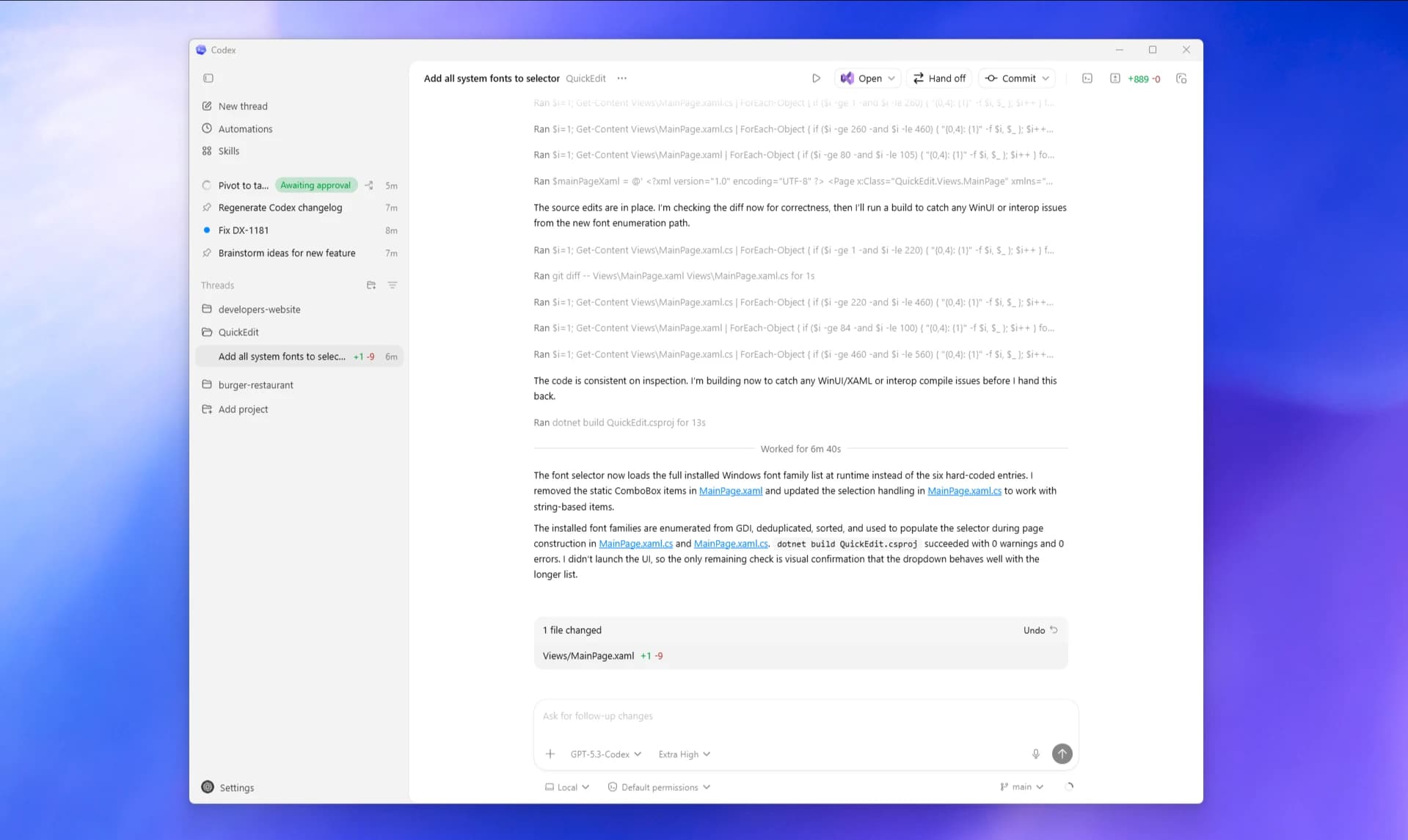 Official OpenAI Codex app image
Codex
Choose Codex for the complete workflow.
If Codex is your preferred agent, use it for context, planning, implementation, checks, documentation, and the final buyer-readable proof.
Proof students build
Plan, working artifact, verification note, and handoff checklist.
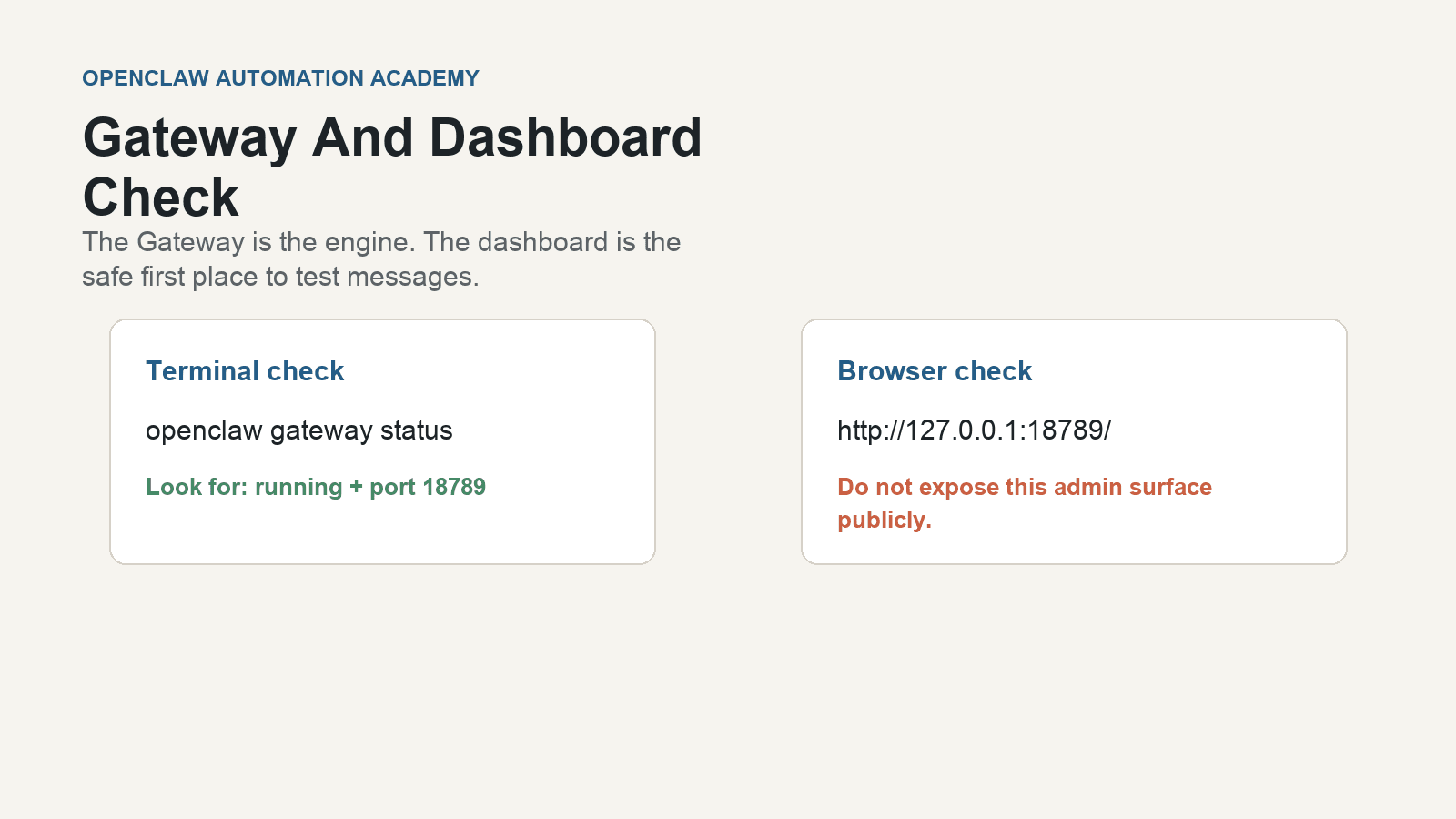 Academy-owned lab capture based on OpenClaw docs
OpenClaw
OpenClaw makes selected demos visible in a fake-data lab.
Use OpenClaw only when a visible dashboard or gateway run makes your chosen-agent work easier to trust without exposing client data.
Proof students build
Sanitized lab screenshot, source note, approval boundary, and no-live-data disclaimer.
Official screenshots are references, not endorsements. Paid course screenshots should be owner-captured, source-noted, scrubbed, and kept private unless explicitly approved for public use.
Result examples and screenshot sourcesOptional buyer trust review
Save and explain your result
Show what you built, and what still needs checking.
Use the examples and references in each lesson to explain your own result. Label fictional data clearly, keep private details out, and distinguish a demo from a live system.
Start from a trusted source
Use official references for the one agent or optional lab shown in the lesson.
Capture one lesson action
Show one plan, review, demo output, or decision students can repeat.
Scrub private context
Hide keys, emails, customer names, paths, billing, repositories, and tokens.
Caption it for a buyer
Name the workflow pain, proof, approval point, and boundary.
Build Your First Sellable Demo
Students understand what a safe demo output looks like before connecting any real account.
Agentic AI Automation Academyacademy-ownedAcademy generated or owner-created democourse diagram
Open lessonChoose Your First AI Service To Sell
A beginner can see exactly how a vague AI-agent idea becomes one narrow service offer.
Agentic AI Automation Academyacademy-ownedAcademy generated diagramcourse diagram
Open lessonBuild The Faceless Production Workflow With Your AI Agent
Students understand their chosen AI agent as the production command center for documents, checklists, review, and optional app/dashboard scaffolding.
Academy generated diagramcourse diagramOpenAIofficial reference
Preview lessonBuild The First Local Agentic AI Demo
Students see the target output before building their own version.
OpenClawofficial referenceAcademy generated or owner-created democourse diagram
Preview lessonUse official web sources as references, owner-created captures for course proof, and generated diagrams when a real screenshot would leak private data or distract from the buyer-facing workflow.
Check the source notes beside each lesson example. Official references are not endorsements. Fictional-data examples demonstrate a workflow, not customer results or a live integration.
Tool tracks
Choose the path that matches why you came here.
Pick Codex, Claude Code, or another compatible project agent. The method is identical; OpenClaw is an optional lab when visible automation proof helps.
Buyer category
Agentic AI service path
Map one painful workflow into one safe buyer-readable service offer.
Choose one operating tool
Your AI agent path
Choose Codex, Claude Code, or another compatible project agent and use the same context-plan-build-check-proof method.
Applied lab proof
Optional OpenClaw lab path
Use OpenClaw as the visible gateway and dashboard lab for selected fake-data demos.
Agentic stack
Market the whole agentic AI stack, not just one tool.
The academy teaches one universal workflow that works in Codex, Claude Code, or another capable project agent. OpenClaw is an optional automation lab for visible fake-data proof.
Agentic AI services
Students learn to sell workflow improvement: one painful process, one useful assistant output, one human approval point.
Your chosen AI agent
Choose Codex, Claude Code, or another capable project agent. Use it for context, planning, execution, verification, documentation, and proof without switching tools mid-lesson.
OpenClaw
OpenClaw remains an optional lab surface for selected workflow demos, gateway checks, dashboard evidence, and channel decisions.
Human-approved systems
The course keeps agentic AI useful by requiring sample data, tests, explicit limits, and human approval before client-facing actions.